
How to Place on Hold New Releases on Libby Before Everyone Else
A step-by-step guide to snagging trending titles the second your library gets them

If you’ve ever watched a book blow up on BookTok, Substack, your favorite Celebrity Book Club1 and then sat on an 8-month hold list, this one’s for you. Here’s how I get new releases through Libby almost as fast as people who buy them.
I am Laura and I am a reader obsessed with using my library to try new to me books! I have read over 3000+ books and have interviewed over 550+ authors and in this substack, I share Libby tips, curated book recommendations so you can always have options as you mood read.
Behind the Paywall - My tried and true paid non-resident library cards as well as even more tips on how you can maximize your library access. You can upgrade for an annual subscription for $16.25/forever

Step 1: Search early — like, weeks-before-publication early2
Open Libby and search for the title as soon as you know it’s coming. If it’s not in your library’s system yet, scroll all the way down and tap Deep Search. This pulls up the title even before your library owns it.
Pro Tip: Make sure to spell the title and/or author correctly to yield results. I have learned this lesson one too many times.

Make sure to sign up to ReciproCard’s substack for the latest new reciprocal agreements.
Step 2: Smart tag it “NOTIFY ME”
Once you find the title, tag it as NOTIFY ME. This is what triggers a notification the second your library adds the book to its collection — which is often the only warning you get.
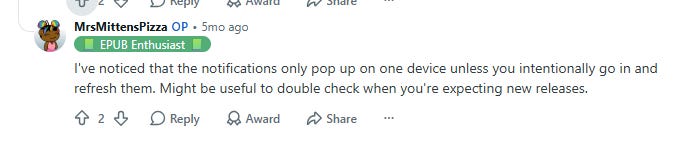
Make sure your phone setting has the notifications on for Libby. Trust me this one is important.

Step 3: Watch for the “it’s here” notification
When Libby tells you the title has been added, that’s your window to place a hold. It’s a quick window to get first dips. If you see the notification quickly add it.
Libraries add new titles on their own schedule, so this isn’t instant, but tagging means you don’t have to keep checking manually.

Make sure to follow Kathleen Reidy for book recommendations from a fellow Librarian.
Step 4: Wait for your hold to come through
Once you’re on the hold list, Libby will notify you again when it’s your turn. From there, it’s yours to read or listen to.
A few things I’ve learned the hard way:
Every library adds new titles on a different schedule. A few of mine tend to drop Tuesday mornings but yours might be totally different. Some libraries purchases the books months in advance while other wait until publication week to order the book. Trial and error is part of the process.3
Librarians are a great resource, but they usually don’t control Libby’s backend, so don’t expect them to know exactly when a title lands.
Librarians can’t see the patron who requested the book on Libby, hence why you are not the first in the line when it comes to setting up a hold.
Some new e-book titles are Libby-only at first, meaning they can’t be sent to Kindle. If that happens, wait a few days — Kindle compatibility often unlocks shortly after.
If you want to read the book on kindle and the option is not there yet. DO NOT click “Read With Libby” otherwise you are locked out from sending it to your Kindle.
If you have multiple libraries and one library already purchased the book, you are unable to request the book from your other library through Libby. Your request to other libraries will drop and you may have to manually wait and see if its available at your preferred library at a later date.
Step By Step Video/Graphic Tutorial:
My friend Ashley Kritzer has a step by step video tutorial on how to score new releases from the Library via Libby App
Make sure to check out Ashley’s Substack for Reading Tips and Book Recommendations:
How to Request Your Library to Purchase a Physical Book (Print Copy)

Enjoying these tips? Become a paid subscriber for $16.25 a year to unlock exclusive book lists, bonus content, and deep dives that help you get the most out of your library card.
🗨️Let’s Chat
In the comments, feel free to share your own Libby tips and tricks!
If you want an early sneak peek for your FAVORITE Celebrity Book Club picks, bookmark Beyond the Bookend Celebrity Spoilers page and follow them on Instagram for the heads up when a new spoiler has been posted.
Places to search for new releases include: Substack round-ups and Netgalley (yes, regular readers can open a Netgalley account and you can post your reviews on Amazon, Goodreads, and even Substack). In the comments, let me know if you want Netgalley tutorials.
Spend some time look at “Newest” Libby filter to determine the days of the week that your local library adds new books.
Great info and love how many friends you included. That’s what it’s all about.
Thanks for this but my library doesn’t have Deep Search and no reciprocals—Hoopla is it. It’s a wonderful library, though, so I’ll forgive them.