
How to Use Libby Tags to Organize Your Reading Life
The simple feature that turns Libby into your personal reading tracker by tagging your next read.

Why Tagging Books on Libby is The Ultimate Libby Hack
If you’re anything like me, your screenshots, Notes app, and camera roll are full of books you meant to read someday. The problem? You forget where you saw them.
Libby quietly solved that problem with a feature that most readers overlook — tags.
Think of tags as your digital sticky notes. You can add them to any book you see in Libby — whether it’s one you’ve borrowed, one that’s on hold, or one you just discovered while browsing.
SPECIAL OFFER TO ALL SUBSCRIBERS
I’m offering 50% off my Substack (just $16.25/year, forever) because I know reading should feel like a cozy escape—not a luxury.
When you join, you’ll get:
Access to the full archive
Exclusive book lists I don’t share anywhere else
Curated recommendations focused on reading more for less (library, Kindle Unlimited, hidden gems)
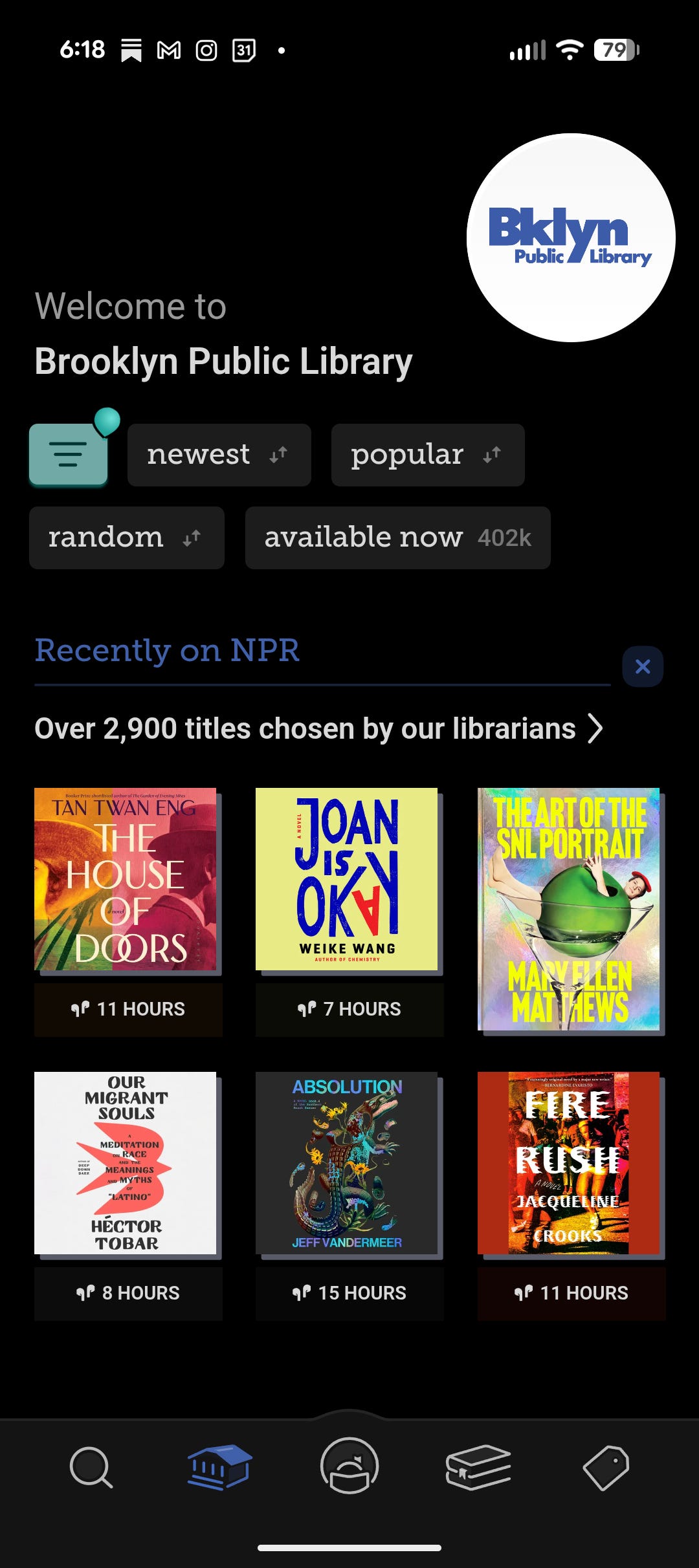
What is Libby?
Libby is a free app that lets you borrow ebooks and audiobooks from your local library—right from your phone, tablet, or computer.
Think of it as your library… but without the commute, late fees, or wait at the checkout desk.
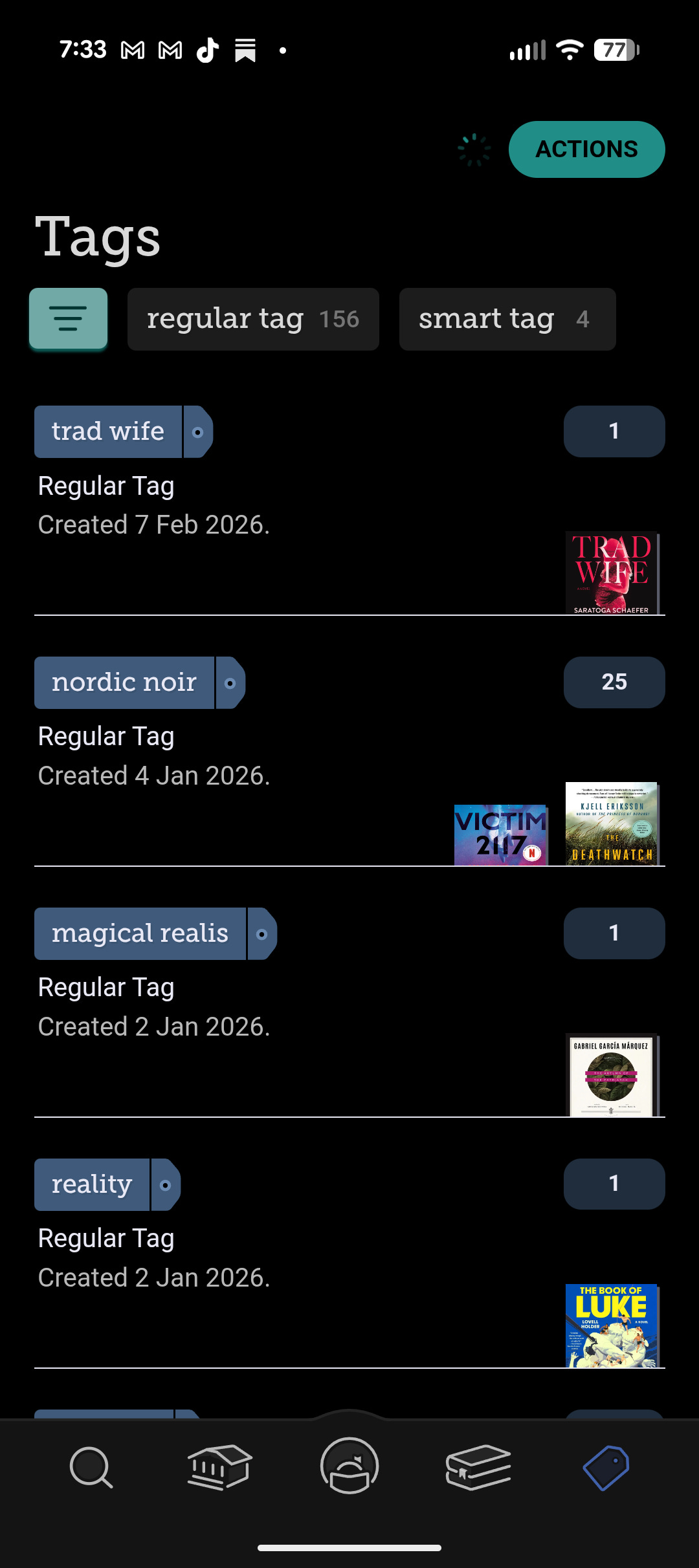
Here’s how Tagging Books in Libby works:
Tap a book title in Libby.
Click the small Tag icon.
Choose one of Libby’s defaults (like Borrowed or Wish List) or create your own custom tag.
That’s it. You’ve just started building your own virtual bookshelf.
📚 Tag Ideas to Try
Spring Cozy Reads – for books that give you cottagecore and pumpkin-latte vibes.
Book Club Picks – so you can quickly browse what’s perfect for your next meeting.
Audiobooks I Loved – a running list of your favorite narrators and bingeable listens.
Popcorn Thrillers - because sometimes you need a twisty thriller to keep you guessing
Romance Next Up – because we all need a designated swoon shelf.
DNF / Not For Me – no shade, just a record so you don’t borrow it again.
You can make tags for literally anything: moods, genres, tropes, or even “books that made me cry.”
Is there a search option for my tags? Unfortunately at this time we do not have this option. Tags are sorted based on the last time you used them. Yes, it is cumbersome when having 50+ tags as you will need to scroll down. Yes, this is feature is on my Libby update wishlist (if you are listening).
✨ Why Tagging Books on Libby Works
Libby’s tag system does what Goodreads and reading journals sometimes can’t—it’s right where you already browse, borrow, and listen. You can filter by any tag, see what’s available, or get inspired when you’re in a reading slump.
It’s your personal Inspire Me button, curated by you not an AI algorithm.
💡 Try This Tonight
Open Libby, tap on the next book that catches your eye, and tag it “Spring TBR.” Do that five times and you’ve just built your next cozy reading list.
📚Building your TBR one Tag at a time
Libby’s tag system is one of the most underrated tools in the app. By creating a “Read Later” tag, you can keep your TBR organized, avoid checkout overwhelm, and always have a fresh stack of options ready when you’re in the mood for something new.
So next time you’re browsing and spot a tempting book, don’t just scroll past it — tag it for later, and future you will thank you.
Let’s Celebrate National Library Week
National Library Week takes place between April 19-25, 2026 and the purpose is to celebrary how much libraries mean to their local community.
If you live in a county or area that has a local library. I encourage you to call them or visit them and get your free library card.

Looking for a Non-Resident Library Card that grants you access to Libby and Hoopla?
A Review of Orange County Library System (FL) Non-Resident Library Card Program

Welcome to a new Substack Series, perfect for reading on a budget and supporting local communities.
🗨️Let’s Chat
Have you used the Tag feature on Libby? If so, what is your favorite niche category you have created? Are you using Tags to create Seasonal TBRs? Share with us your tips!
This is such a genuinely helpful tip!! I love how simple it is but how much it could actually change the way I keep track of books. “Digital sticky notes” is exactly how it should feel. Definitely trying this tonight.